
VENDAX Creator FX — text and effects for DaVinci Resolve Studio
This website introduces VENDAX products. Sales and downloads are not available yet.
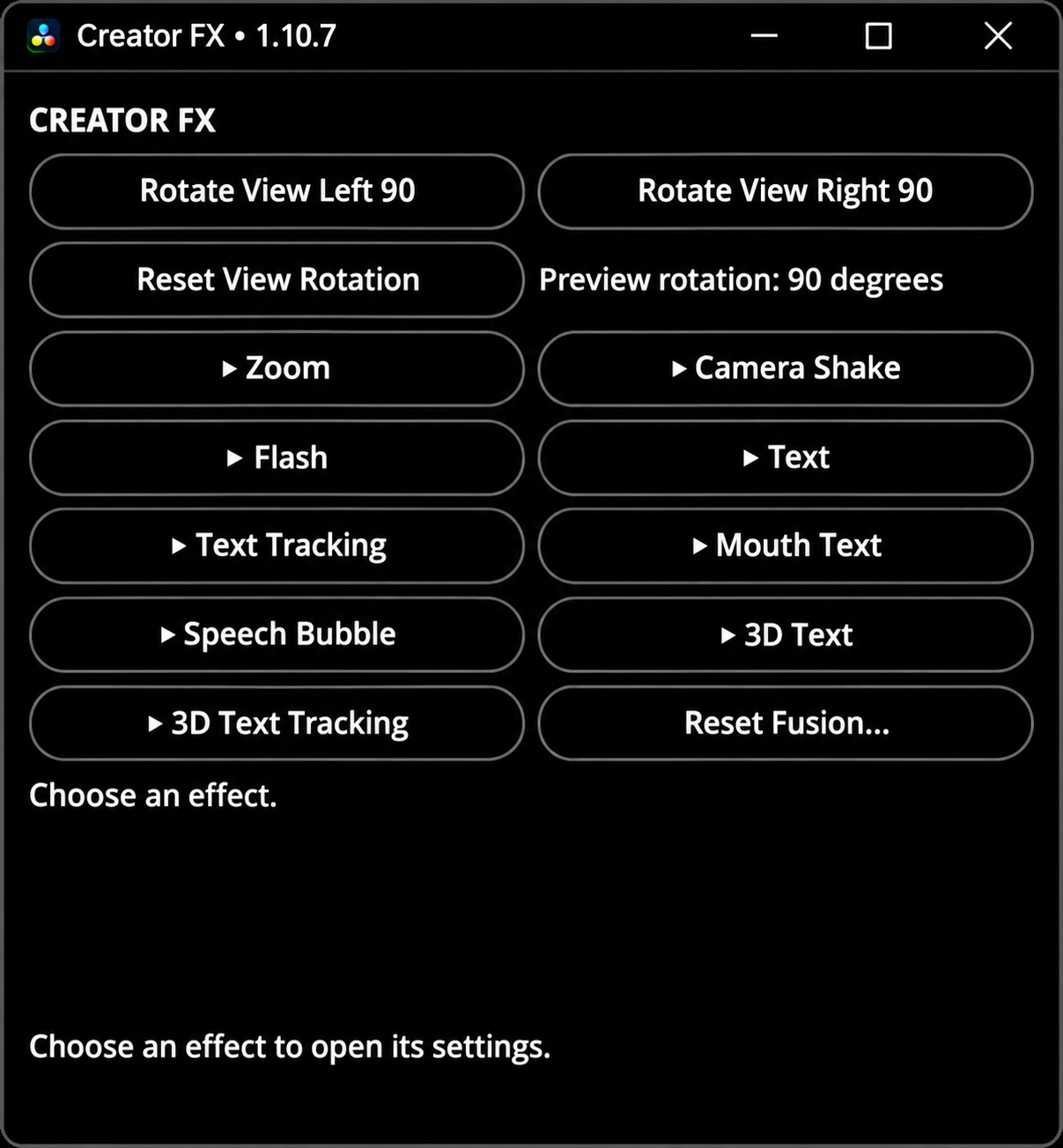
Text, tracking and video effects in one panel
VENDAX Creator FX 1.17.5-test combines ten modules for DaVinci Resolve Studio: zoom, camera shake, flash, animated and scrolling text, mouth-launched letters, speech bubbles, 3D text, exploding letters and background replacement. Mouth Text and Speech Bubble can follow tracking; Delta Keyer and Magic Mask use the native Inspector.
Features and guideWatch the full English tutorial — VENDAX Creator FX
Step-by-step tutorial with English narration and subtitles.
User guide
1.17.5-test · Windows / macOS
User guide →Current version — 1.17.5-test
This promotional website presents the current test version. Sales and downloads are not available yet.
- Mouth Text and Speech Bubble can follow tracked movement. Results depend on the source footage and need review.
- Background Replacement uses native Delta Keyer and Magic Mask. Color selection, masking and analysis remain in the Resolve Inspector.
- 48/120 FPS copies are for Scrolling Text on a 24 FPS source timeline with one clip and one Fusion composition. Complex edits need separate preparation.
- Undo reverses the last Fusion action. Reset Fusion also removes manually added nodes and requires confirmation.
Features and workflow
- Zoom — smooth zoom — Zoom enlarges the image, holds the scale and returns to the original view.
- Camera Shake — Adds image movement and slight rotations with a smooth onset and decay. Strength, 1–10 — movement intensity; Speed, Hz — oscillation speed; Fade In — increasing shake; Hold — the main part of the effect
- Flash — Creates a transition from the original image to a bright flash and back.
- Text — standard animated text — Adds text with a smooth fade-in and fade-out. Size, % — size; Text color — color; X — horizontal position; Y — vertical position
- Scrolling Text — Moves a line of text from right to left along the bottom of the frame.
- Mouth Text — letters flying from the mouth — Launches letters from a point and assembles them into finished text. Set the starting point manually or attach it to mouth movement. Up to 80 characters, including line breaks, are supported.
- Speech Bubble — Creates a bubble with text, outline and tail. Move it manually or attach it to a character's movement. Edit Bubble in Viewer — move, scale and rotate; Rotate Bubble in Viewer — rotate the bubble and text; Move Tail Tip in Viewer — move the tail tip; Preview Speech Bubble — show the fully visible bubble
- 3D Text — Adds dimensional text with lighting and shadow.
- Text Explosion — Creates dimensional text that appears, stays on screen, then breaks apart into individual letters.
- Background Replacement — The panel uses Fusion's native tools: Delta Keyer — remove a green or blue background; Magic Mask — isolate an object with Resolve Studio tools
- Multiple effects on one clip — You can combine different effects on one clip, such as Zoom, Flash and Text. Add them one at a time and check the result after each application. Fusion processing order can affect the image.
Read the guide
Start with the guide and watch the recorded workflow in the full tutorial.